
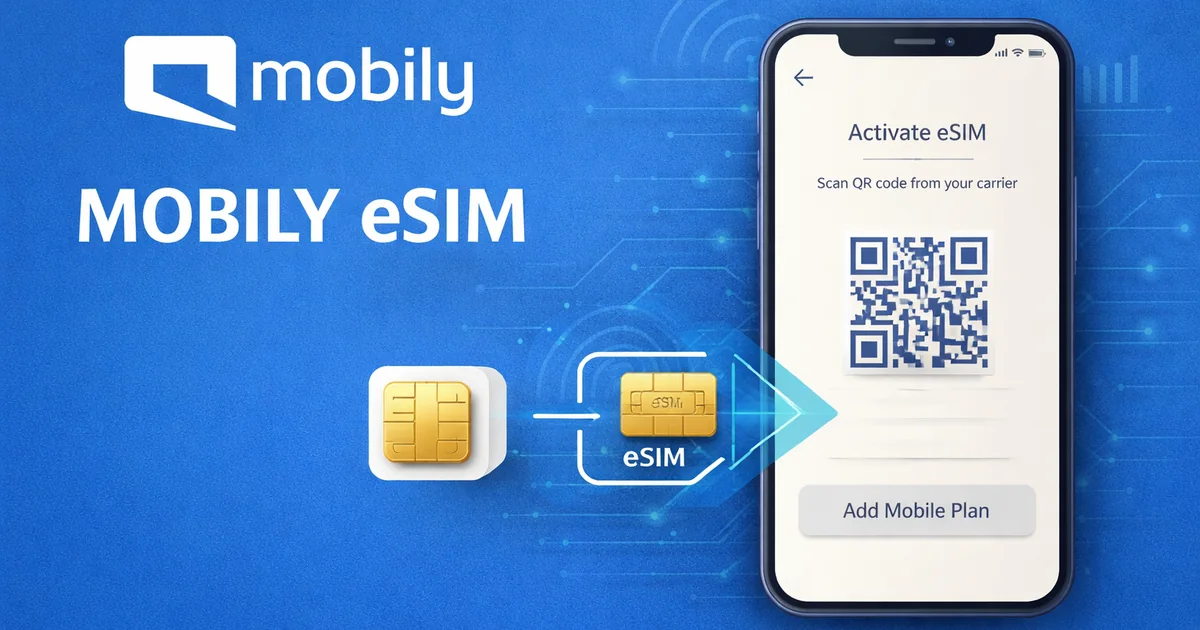
Activate Mobily eSIM Saudi Arabia
Activate Mobily eSIM Saudi Arabia by getting your Mobily eSIM QR code through the Mobily app, Mobily website, or a Mobily outlet, then scanning it on an eSIM supported device while connected to a stable Wi-Fi connection. That is the direct answer. If you also need visitor options, see Mobily Visitor SIM Umrah Guide.
Mobily eSIM activation can be for a Mobily eSIM new line, a SIM swap, or a move from mobily physical sim to esim. The setup is not hard. The part that trips people up is usually verification, device support, or using the wrong QR code on the wrong phone.
✅ TL;DR – activate mobily esim saudi arabia
How to activate Mobily eSIM in Saudi Arabia? Order the eSIM as a new line or request a swap from the Mobily app, Mobily website, or a Mobily outlet. Get the Mobily eSIM QR code, connect to Wi-Fi, go to your phone’s cellular settings, and scan the code to download eSIM profile. For current number conversion, Nafath authentication, SMS OTP, and an IVR call may be required.
How to Activate Mobily eSIM in Saudi Arabia
How to activate Mobily eSIM in Saudi Arabia is simple when you break it into order: get the eSIM, receive the QR code, open the right phone menu, scan the code, and finish the line setup. The real rule is this: don’t start until your device supports eSIM and your internet connection is stable.
How to activate Mobily eSIM step by step
- Check device compatibility first.
- Request the eSIM through app, website, or outlet.
- Receive the Mobily eSIM QR code.
- Connect to Wi-Fi or another reliable internet source.
- Open your phone’s eSIM menu.
- Scan QR code and start the eSIM setup.
- Wait for line activation and confirm signal and mobile data.
Can I activate Mobily eSIM myself?
Yes, in many cases you can do self service activation yourself. That is one reason mobily esim online is popular. But if your line needs ownership checks, Nafath, SMS OTP, or branch help, the process may include extra verification steps.
Do I need Wi-Fi to activate Mobily eSIM?
Yes, a stable Wi-Fi connection is the safest option because the device needs internet access to download eSIM profile. Some people use another reliable connection source, but Wi-Fi is the cleanest path.
📚 You Can Also Read:
Mobily Balance Check • Mobily Pay FAQs 2025 • Recharge Mobily SIM
How to Get Mobily eSIM in Saudi Arabia
How to get Mobily eSIM in Saudi Arabia depends on whether you want a Mobily eSIM new line or you want to convert existing Mobily SIM to eSIM. Both routes exist. The new-line route is cleaner. The swap route needs a little more checking.
How to get Mobily eSIM with a new number
You can get a Mobily eSIM new line through the app, the website, or a Mobily outlet. During the order flow, choose your package, select eSIM as the SIM type, complete verification, and receive your QR code.
How to activate Mobily eSIM online
Activate Mobily eSIM online by ordering it through the Mobily app or Mobily website, then scanning the issued QR code in your phone settings. For many users, that means the whole flow can be handled at home without touching a plastic SIM card.
Can I buy Mobily eSIM prepaid or postpaid?
Yes. Mobily eSIM prepaid and postpaid options are both supported. That is one of the stronger parts of the service. It is not locked to only one billing type.
Activate Mobily eSIM Through the Mobily App
Mobily eSIM app activation is one of the best routes because it keeps ordering, verification, and QR delivery in one place. If you already use the app, it usually feels smoother than the website.
How to activate Mobily eSIM through app
Open the app, go to the store area, choose the eSIM option, then follow the order steps until your QR code appears. After that, you leave the app for a minute, open your phone’s cellular settings, and scan the code.
How to order a Mobily eSIM new line in the app
The common flow is:
- Open Store
- Choose Active New eSIM
- Select New Line
- Choose package
- Select SIM type eSIM
- Complete payment
- Get QR code
How does Mobily eSIM app activation work?
The app handles the order. Your phone handles the QR code activation. That split confuses many people. Buying the eSIM inside the app does not finish the phone setup by itself. You still need to add cellular plan or add mobile plan on the device.
📚 You Can Also Read:
How to Activate Mobily Visitor SIM Step by Step • Mobily Visitor SIM Not Working After Recharge • Mobily Visitor vs Regular Prepaid Umrah
Activate Mobily eSIM Through the Website
Mobily eSIM activation through website works well if you prefer desktop ordering or want a bigger screen for package comparison. The logic is the same as the app: order first, scan later.
How to activate Mobily eSIM through website
Go to the Mobily online shop, choose the line or package you want, select the eSIM option, complete the order, then use the issued QR code on your phone.
How to choose eSIM when ordering online
During checkout, choose eSIM instead of physical SIM. That part matters more than people think. If you rush and choose the wrong SIM type, you create extra work before the number even goes live.
How does Mobily eSIM online activation work?
Mobily eSIM online activation works in two stages: ordering the line or swap, then installing the eSIM profile on the phone. The website handles the first part. Your phone settings handle the second.
Mobily eSIM QR Code Activation
Mobily eSIM QR code activation is the heart of the process. Without the right QR code, there is no clean setup. And once a code is used, you should not assume it can be moved around freely.
How to get a Mobily eSIM QR code
You get a Mobily eSIM QR code after ordering a new line, completing an eSIM swap, or requesting a replacement through approved Mobily channels. Depending on the route, the code may appear on screen, be sent by email, or be issued through branch support.
How to scan Mobily eSIM QR code
Go to your phone’s eSIM menu, choose the option to add esim, add cellular plan, or add mobile plan, then scan the QR code using the phone camera. Keep the internet connection stable while the phone downloads the profile.
What should I do if I lose my Mobily eSIM QR code?
If you lose the QR code, request a new one. Do not assume you can guess it back or reuse an old screenshot forever. QR codes for eSIM are not something to handle casually.
Convert Existing Mobily SIM to eSIM
Convert existing Mobily SIM to eSIM if you already have a line and want to stop using the plastic SIM. This is one of the most searched intents because many people do not want a new number. They want the same number on an embedded SIM.
How to convert existing Mobily SIM to eSIM
You request a SIM swap through the app, website, or branch, then complete the identity checks and scan the new QR code. That is the practical meaning of mobily physical sim to esim.
How to upgrade Mobily physical SIM to eSIM
Inside the app, this is usually shown as upgrade to eSIM. You tap it, follow the on-screen steps, pass the verification stage, pay any applicable swap charge, then receive the new QR code.
What happens to physical SIM after Mobily eSIM activation?
Once the eSIM for the same number is fully activated, the old physical SIM is deactivated. This is one of the most important parts to understand before you start. It is not a “keep both active on the same number forever” situation for a simple swap.
💡 SIM Swap Box
Best use case: keep your current mobile number, move from physical SIM to digital SIM, and continue using your current package and services after the swap is completed.
Mobily eSIM Activation on iPhone
How to activate Mobily eSIM on iPhone is simple once you know the menu path. The iPhone part is usually easier than the order part.
How to activate Mobily eSIM on iPhone
Open Settings, then Cellular, then choose Add Cellular Plan. After that, scan the QR code and follow the prompts until the new line appears in your cellular list.
How to add cellular plan on iPhone
Add cellular plan is the key iPhone menu phrase. If you are looking for “where does the QR go,” it goes there.
Where do I scan the Mobily eSIM QR code on iPhone?
You scan it inside Settings > Cellular > Add Cellular Plan. Keep Wi-Fi on while the profile downloads.
Mobily eSIM Activation on Samsung
How to activate Mobily eSIM on Samsung usually takes only a minute once the QR code is ready. Samsung just uses different menu words from iPhone.
How to activate Mobily eSIM on Samsung
Go to Settings, then Connections, then SIM Card Manager, then Add Mobile Plan. After that, scan the QR code and complete the setup.
Where is SIM Card Manager on Samsung?
It is usually under Settings > Connections > SIM Card Manager. This is the place where Samsung handles add mobile plan and eSIM actions.
How to add mobile plan on Samsung
Choose Add Mobile Plan, then scan the QR code, then let the phone install the eSIM profile.
Mobily eSIM Activation on Huawei
How to activate Mobily eSIM on Huawei is also straightforward, but the menu names are different again. This is why separating the device sections helps.
How to activate Mobily eSIM on Huawei
Go to Settings, then Mobile Network, then SIM Management, then Add eSIM. Scan the QR code and finish the prompts.
Where is SIM Management on Huawei?
Look under Settings > Mobile Network > SIM Management. That is where Huawei usually places eSIM controls.
How to add eSIM on Huawei
Tap Add eSIM, then scan the code and wait for the phone to finish the installation.
📚 You Can Also Read:
Saudi SIM Network Mobily • Saudi SIM Network • CITC Complaint Mobily
Mobily eSIM Activation Requirements
Mobily eSIM activation Saudi Arabia has a few real requirements. If one of them is missing, the process can stall even when the QR code is valid.
Do I need an eSIM supported device?
Yes. You need an eSIM supported device. No support, no setup. That is the first thing to check before you pay anything.
Do I need Nafath, SMS OTP, or IVR verification?
For some swap and ownership flows, yes. Nafath authentication, SMS OTP, and an IVR call may be part of the verification process, especially when converting an existing line.
What do I need before downloading the eSIM profile?
You need:
- An eSIM-supported phone
- A stable Wi-Fi connection
- The correct QR code
- Completed identity verification if required
- Enough battery to finish setup without interruption
Mobily eSIM Fees and Package Support
This is where people start guessing too much. Keep it simple: new-line package cost and swap cost are not always the same thing.
Is there a one-time swapping fee for Mobily eSIM?
For mobily esim replacement online or physical SIM-to-eSIM swaps, a one-time swapping fee may apply. Mobily’s eSIM information says a one-time swap fee applies for current-number swaps, while new eSIM subscription cost depends on the selected package.
Will my existing services and tariffs still work?
Yes, your existing services and tariffs are meant to continue after a normal physical SIM to eSIM swap on the same number.
Does Mobily eSIM work with prepaid and postpaid packages?
Yes. Mobily eSIM prepaid and postpaid packages are both supported, including voice and data routes.
Mobily eSIM Replacement and New QR Code
Mobily eSIM replacement online Saudi Arabia is a major user intent because eSIM life gets messy when people change phones, delete profiles, or lose the original QR.
How to request a new Mobily eSIM QR code
Request a new code through the app, website, or branch, depending on the case. If you are changing device, expect to need a fresh code instead of trying to recycle the old one.
Can I reuse the same QR code on another device?
Usually no. Do not plan around that. For a new phone, the safe assumption is that you will need a new code. That is the beginner mistake I see most often with eSIMs: people treat the QR like a password they can keep moving around forever.
How to transfer Mobily eSIM to a new phone
How to transfer Mobily eSIM to a new phone usually means deleting or removing the old profile from the previous device, then getting a new QR code and activating it on the new phone. This is not the same as moving a plastic SIM by hand.
📦 Best Path Box
Best for a new number: app or website order, choose eSIM, then scan QR.
Best for current-number swap: use upgrade to eSIM flow and complete verification.
Best for device change: request a new QR code instead of trying to reuse the old one.
Mobily Apple Watch eSIM Activation
Can I activate Apple Watch eSIM with Mobily? Yes, Mobily supports Apple Watch eSIM service. But users should treat this as a separate branch of setup, not just a normal phone eSIM copy.
Can I activate Apple Watch eSIM with Mobily?
Yes. Apple Watch activation is supported by Mobily for compatible setups.
How does Mobily Apple Watch eSIM activation work?
It works through the Apple Watch service flow, where the watch line setup is linked to your supported iPhone and Mobily service setup. It is not the same as scanning a standard phone QR flow and hoping it behaves the same way.
What verification is needed for Apple Watch activation?
Verification can involve identity and line checks during the setup process. If the app or portal asks for confirmation, complete that stage before expecting the watch line to appear.
Common Mobily eSIM Activation Problems
This is the section many competitor pages skip. They tell you how to start, but not what to do when the phone just sits there saying activating.
Why is my Mobily eSIM not activating?
Common reasons:
- No Wi-Fi or weak internet
- Wrong QR code
- Device not compatible
- Verification not completed
- Profile already used or expired
- Temporary network delay
Why is my eSIM showing activating but not working?
Usually that points to a setup delay, network delay, or profile issue. First, wait a little, then restart the phone, check that the new line is turned on, and confirm the phone actually downloaded the profile. If nothing changes, request help or a new QR code rather than repeating the same failed scan forever.
How do I know if my Mobily eSIM is activated?
You usually know it is active when the line appears in your mobile network settings, shows signal, and can handle calls, SMS, or mobile data based on the plan. If the line is listed but not usable, the setup may be incomplete even if part of the profile is already installed.
| Task | Best route | What you need |
|---|---|---|
| New eSIM line | App or website | Compatible phone, package choice, QR code |
| Physical SIM to eSIM | Upgrade to eSIM flow | Verification, possible swap fee, new QR code |
| iPhone setup | Settings > Cellular | Add Cellular Plan and scan QR |
| Samsung setup | Settings > Connections | SIM Card Manager and Add Mobile Plan |
| Huawei setup | Settings > Mobile Network | SIM Management and Add eSIM |
| New phone transfer | Replacement route | Fresh QR code, old profile removal |
📘 Mobily eSIM activation FAQs
Can I activate Mobily eSIM myself?
Show Answer
Yes, many users can complete Mobily eSIM app activation or website activation themselves, as long as device support, identity verification, and internet connection are in place.
Do I need Wi-Fi to activate Mobily eSIM?
Show Answer
A stable Wi-Fi connection is strongly recommended because your phone needs to download eSIM profile during setup.
Can I buy Mobily eSIM prepaid or postpaid?
Show Answer
Yes. Mobily eSIM prepaid and postpaid options are both available.
What happens to physical SIM after Mobily eSIM activation?
Show Answer
For the same number, the old physical SIM is deactivated after the new eSIM becomes active.
Can I reuse the same QR code on another device?
Show Answer
Usually no. For a new device, the safe move is to request a new QR code.
How to transfer Mobily eSIM to a new phone?
Show Answer
Remove the old profile if needed, request a new QR code, then activate the line on the new eSIM-supported device.
Does Mobily eSIM work while roaming?
Show Answer
Yes, the line is meant to keep working with your active services and tariffs while roaming, just like the physical SIM route.
Can I activate Apple Watch eSIM with Mobily?
Show Answer
Yes, Apple Watch eSIM activation is supported by Mobily for compatible setups.
can i activate mobily esim saudi arabia without visiting a mobily outlet?
Show Answer
Yes, many users can activate Mobily eSIM online through the Mobily app or Mobily website without visiting a Mobily outlet. The outlet route is mainly helpful when you want in-person support, need a manual check, or run into a verification problem during Mobily eSIM activation.
can i use both a physical SIM and eSIM on the same phone with Mobily?
Show Answer
If your phone supports dual-SIM use, you may be able to use a physical SIM and an embedded SIM at the same time. But that is different from a basic SIM swap. If you convert existing Mobily SIM to eSIM for the same number, the old physical SIM is normally deactivated after the new eSIM becomes active.
does mobily esim activation saudi arabia work for visitors or only residents?
Show Answer
Mobily eSIM Saudi Arabia is not only for one type of user. The exact route depends on whether you are opening a resident line, a visitor line, or switching an existing number. The key thing is completing the required identity step correctly during line activation.
do i need Iqama, Absher, or another ID step for Mobily eSIM activation?
Show Answer
Sometimes yes. Depending on the flow, identity verification may involve your ownership check, Nafath authentication, SMS OTP, or another linked verification step. For some users, especially on a swap or ownership-sensitive change, this part matters more than the QR scan itself.
can i keep my current mobile number when i upgrade to eSIM?
Show Answer
Yes. That is the whole point of mobily physical sim to esim for many people. You keep your current mobile number, move it from the old SIM to the new eSIM profile, and continue with the same line after activation is finished.
is mobily esim replacement online the same as opening a mobily esim new line?
Show Answer
No. A Mobily eSIM new line means you are creating a fresh line or package. Mobily eSIM replacement online usually means replacing, reissuing, or moving an existing line. People mix these up all the time, and that is where wrong expectations start.
can i start mobily esim online on one phone and finish it on another?
Show Answer
You can place the order on one device, but the actual QR code activation must be completed on the phone or watch that will use the eSIM. That means the final download eSIM profile step belongs on the target device, not just any device in your hand.
will my calls, data, and package settings stay the same after convert existing Mobily SIM to eSIM?
Show Answer
In a normal swap, your existing services and tariffs are meant to continue on the new eSIM. That is why many users choose convert existing Mobily SIM to eSIM instead of taking a new number. The line changes form, not identity.
can i activate mobily esim prepaid for a data-only line?
Show Answer
Depending on the package and checkout route, Mobily eSIM prepaid can be used for different line types, including voice or data-focused options. The important part is choosing the correct package at the start instead of assuming every eSIM order is the same.
does mobily esim app activation change anything inside my phone automatically?
Show Answer
Not fully. Mobily eSIM app activation helps you order the line or request the swap, but your phone still needs you to open the right menu, scan QR code, and finish the eSIM setup. That is the small step many people forget.
how long does mobily esim activation usually take after i scan the code?
Show Answer
Often it is quick, but not always instant. Some activations finish in minutes, while others take longer because of network checks, verification delay, or profile processing. If your eSIM keeps showing activating for too long, stop repeating random steps and check whether the profile installed correctly first.
can i delete the esim profile and install it again later from the same code?
Show Answer
You should not assume that. With Mobily eSIM QR code flows, the safer approach is to treat the code as limited-use and request help or a fresh code if the setup breaks. A lot of users lose time by assuming a deleted profile can always be rebuilt from the same QR image.
can i use multiple eSIM profiles on one phone after activate Mobily eSIM Saudi Arabia?
Show Answer
Many modern phones can store multiple eSIM profiles, but the exact number depends on the device. Storage is one thing. Active use is another. Some devices can hold several profiles but only keep a limited number active at one time.
does Mobily eSIM Saudi work for roaming after setup?
Show Answer
Yes, roaming support is part of what many users care about when moving to eSIM. The key point is that your line services should continue after the swap or activation, but your actual roaming behavior still depends on the package and settings on that line.
what is the biggest mistake people make during how to activate mobily esim in saudi arabia?
Show Answer
The biggest mistake is starting before checking the basics: eSIM supported device, reliable internet, correct account ownership, and the right QR code. People often blame the carrier first, but the real problem is usually one skipped preparation step.
can i move back from eSIM to a physical SIM later?
Show Answer
Yes, moving back is generally possible through a replacement process. The key thing to remember is that eSIM replacement and physical SIM replacement are service actions, not magic toggles. You usually need a proper request, not just a phone setting.
is Apple Watch activation tied to the same steps as phone Mobily eSIM activation?
Show Answer
Not exactly. Apple Watch activation is related, but it is not just a copy of normal phone eSIM activation. Watch setup has its own service flow, pairing logic, and verification behavior, so users should treat it as a separate path.
do i need to remove my old SIM before i add cellular plan or add mobile plan?
Show Answer
Not always. For a new second line, some users keep the old SIM in place. For a true mobily physical sim to esim swap on the same number, the physical SIM is typically deactivated after the eSIM takes over. So the answer depends on whether you are adding a line or replacing one.
how do i know whether i need a new line, a SIM swap, or a Mobily eSIM replacement online request?
Show Answer
Ask one simple question: do you want a new number, or the same number? If you want a different number, go for a Mobily eSIM new line. If you want the same number on eSIM, use the SIM swap or upgrade to eSIM route. If the old QR was lost or the device changed, you usually need a replacement online or branch-issued new code.
📚 You Can Also Read:
Pay STC Bill Online Saudi Arabia • Check SIM Cards Registered on Iqama Saudi Arabia • Cancel SIM Card Registered Under Iqama
Bottom line: activate mobily esim saudi arabia by choosing the right route first: new line, swap, or replacement. Then keep the setup simple: correct QR code, correct device menu, good Wi-Fi, and completed verification. That is what makes the process feel easy instead of messy.

Farrukh Farooqi has been living in Sharaya, Makkah, Saudi Arabia since 2010. With over 14 years of firsthand experience witnessing the sacred journey of millions of pilgrims, Farrukh specializes in providing practical, insider tips for Hajj and Umrah travelers. His work blends real-world observations, the latest Saudi updates, and essential crowd management strategies — helping pilgrims and worshippers plan smarter, stay safer, and experience a spiritually fulfilling journey across the Holy Cities.


