
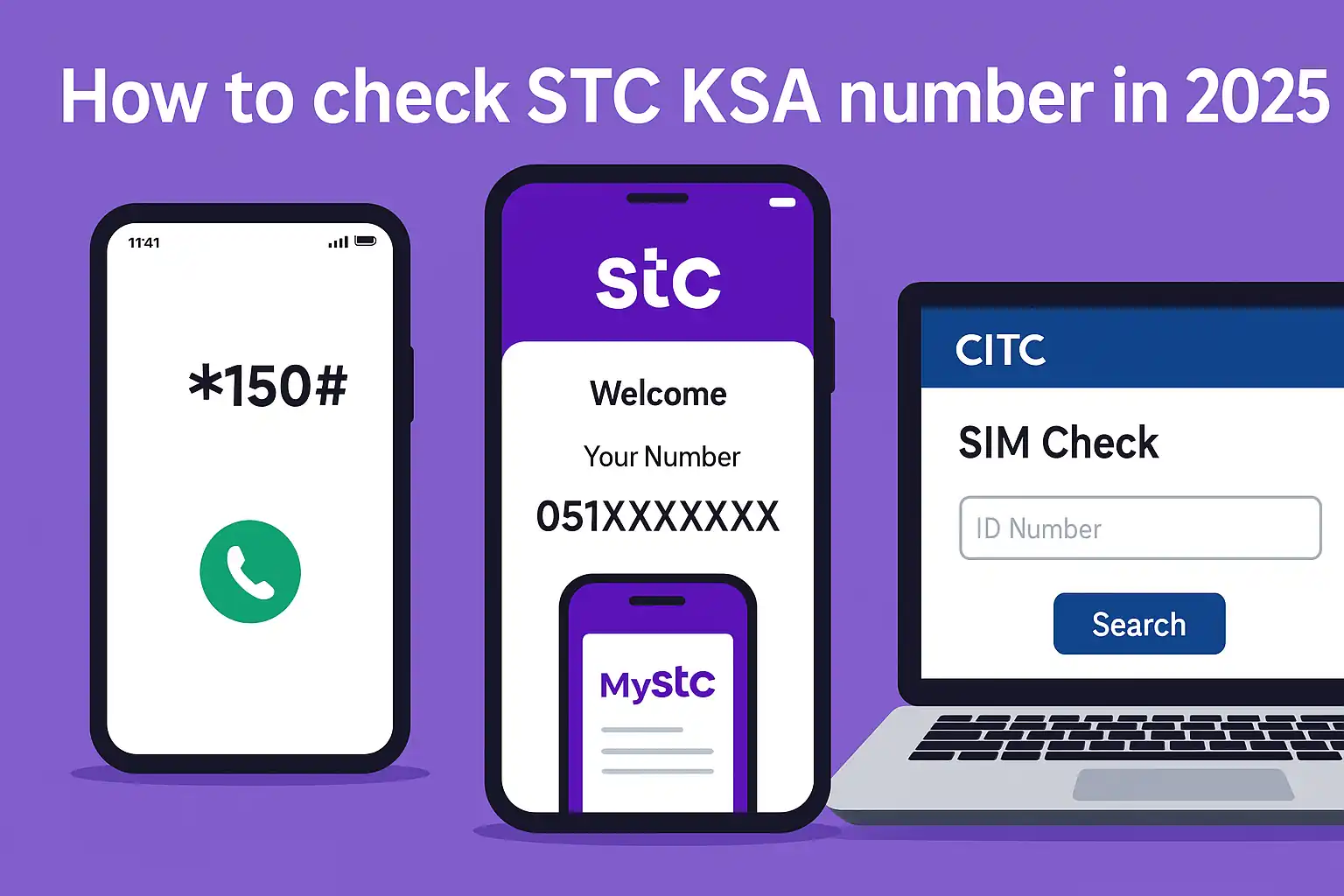
How to Check STC KSA Number – Easy 2026 Methods for SIM Users
How to check STC KSA number. Your Saudi Telecom Company (STC KSA) phone number is the first thing you search for on Google. When your phone is working, but you don’t know its number.
You insert your SIM card and try to top it up. But nothing works until you find the number associated with it.
Does this sound familiar?
Maybe you recently moved to Saudi Arabia. You bought a new STC SIM card, or you put it in your router and completely forgot about it. Or maybe you ran out of credit and your phone no longer displays any information.
📌 The good news? You’re not alone. This guide provides all the practical ways to find yourSTC phone number in 2026, even if you have no credit or are just using a keypad.
Dial *150# from your STC SIM to instantly see your mobile number.
No balance? Try sending a free SMS or use the MySTC app.
- How to Recharge Mobily SIM in Saudi Arabia – Fast, Easy, No Mistakes (2025)
- Zain Balance Check Saudi Arabia – Easy 2025 Guide for Internet, Data & Call Credit
- How to Check STC Balance in Saudi Arabia (2025 Guide with Codes, App & Recharge Tips)
- Mobily Pay FAQs 2025 – Secure Login, Transfers, Cards, Limits & Wallet Help
Why People Forget Their STC SIM Numbers
Why STC users need this guide in 2026
Let’s face it. In 2026, we’ll be juggling multiple SIM cards, work phones, WiFi routers, and data-only devices. It’s no surprise that people forget their STC numbers.
Here’s the thing: If you’re new to Saudi Arabia or have recently switched tobSTC, you may not even know where to start.
Having a quick way to verify your STC KSA number without relying on someone else makes life a lot easier, especially when trying to register for banking apps or government platforms.
Common reasons for not knowing your STC number
- You just bought a new STC SIM
- Your SIM is inside a data router or device
- You haven’t used the number in a long time
- There’s no balance to call or text anyone
- You’re managing someone else’s SIM, like for family or staff
Whatever the reason, don’t worry. You’re about to learn several foolproof ways to check it.
Quick Ways to Check STC Number (No Balance Needed)
*Method 1 – Using USSD Code 150#
This is hands down the fastest and most reliable method.
Just dial *150# from your STC SIM.
You’ll get a message on your screen showing your STC KSA mobile number, no data or balance required.
📌 If the menu shows Arabic, press 2 to switch to English.
This works on any mobile, even basic feature phones. Make sure the SIM is active, and you’ll have your number in seconds.
Method 2 – Send Free SMS via “Please Call Me” Feature
No balance? Still want someone to see your number? Here’s a clever trick:
Dial:
17705XXXXXXXX#
(Replace with your friend’s number)
This sends a “Please call me” SMS from your STC SIM.
Your number will appear on their screen, and the best part? It’s completely free, up to 10 times per day.
Use it when you don’t have a balance, and someone nearby can read your number back to you.
Method 3 – Call STC Customer Care (900 / +966114555555)
If codes aren’t working, or your SIM is having issues, call STC customer service directly.
- Dial 900 from an STC number
- Or call +966114555555 from another network
Once connected:
- Press 1 to proceed with the number you’re calling from
- Press 9 for technical support
- Press 2 to lodge a complaint
- Press 6 to speak to a representative
Just ask the agent for your STC SIM number, and they’ll either read it out or send it to you via SMS.
Online Methods to Check STC Number (Digital Options)
Method 4 – Via MySTC App (App Store & Play Store)
If you use a smartphone and have access to WiFi or mobile data, try the MySTC app — it’s the official app from STC.
Steps:
- Download the MySTC app from Google Play or Apple Store
- Open it and sign in using your mobile number (if remembered) or ID
- Once logged in, your STC number appears on the dashboard
Even if you don’t remember your number, logging in through your Iqama or Absher-linked ID can help retrieve it.
📌 Bonus: You can also manage bills, top up, or check SIM details within the app.
Method 5 – Through CITC Website (for multiple SIMs)
The CITC portal (Communications, Space & Technology Commission) lets you see all SIMs registered under your ID.
Steps:
- Visit: https://portalservices.citc.gov.sa
- Choose “Number Inquiry Service”
- Log in using your Absher account
- You’ll see a list of all numbers registered under your Iqama or ID
This is especially useful if you’re unsure how many STC or other SIMs are in your name.
Method 6 – STC Portal Login via Absher Integration
Don’t want to install an app? No problem.
Use the STC website:
- Visit https://my.stc.com.sa
- Log in with your Absher credentials or STC account
- Your SIM details, including number, will be shown on your account dashboard
Safe, fast, and works across devices.
Other Solutions If Nothing Works
Visit the Nearest STC Shop (with ID or Email)
If you’ve tried everything and still can’t retrieve your number, your best bet is to visit an STC branch.
- Bring your Iqama or passport
- Share the SIM serial (on the card sleeve if available)
- A customer care agent will verify your identity and share your number
They may even help you register the SIM officially under your name if it isn’t already.
Use IAM Website for SIM Authentication
If your SIM is new or recently upgraded, it might ask for IAM verification. Here’s what to do:
- Go to https://iam.gov.sa
- Log in using your Absher account
- Choose “SIM Registration”
- Select STC, and generate your service code
Share this code with STC, either via MySTC app or with a customer agent, to activate and view your number.
Check via Missed Call or Someone’s Device
Still stuck? Use a friend’s phone.
- Insert your STC SIM into a phone
- Call or send a text to someone nearby
- Your number will show up on their screen
It’s a basic trick, but surprisingly effective, especially when nothing else works.
TC Number Code List (2026 Updated USSDs)
*STC SIM Number Check Code: 150#
This is the main code everyone should memorise.
Just dial *150# and get your number on-screen in a flash. Works on any mobile, with or without a balance.
Free Call Message Code: 17705XXXXXXXX#
No balance?
Use this “Please Call Me” free message feature to alert a friend.
Just replace 05XXXXXXXX with their number and hit call.
They’ll get an SMS showing your STC number, and it won’t cost you a thing.
Customer Support Shortcuts (When You Dial 900)
If you dial 900, these are the menu options:
- Press 1 – For service from your current number
- Press 2 – To file a complaint
- Press 6 – To speak to a human rep
- Press 9 – For technical issues
These shortcuts save time if you’re stuck in automated loops.
Expert Tips: Keep Your Number Safe & Saved
Save your number using Notes, WhatsApp backup, or MySTC
We’ve all had those “What was my number again?” moments.
Here are simple ways to store it so you never lose it again:
- Add it to your mobile contacts under “Me”
- Create a note in Google Keep or iPhone Notes
- Send it to your own WhatsApp or Telegram chat
- Check the MySTC app dashboard, it’s always displayed there
Register the STC SIM with the Iqama for safety
Unregistered SIMs can lead to serious issues.
To avoid losing access or facing blocks:
- Visit the CITC website
- Ensure your SIM is tied to your Iqama
- Delete any unused or unrecognised numbers under your name
This protects you legally, especially if someone misuses a number tied to your ID.
Avoid fake apps or unofficial websites
Don’t fall for shady apps that promise to reveal your number or network info.
Only use:
- MySTC app
- STC Portal
- CITC.gov.sa
These are secure and government-approved sources.
❓ Frequently Asked Questions – STC Number Check 2026
Q1: How can I check my STC number with no balance?
You can dial *150# or send a free SMS using *177* plus a mobile number. No recharge needed.
Q2: What is the USSD code to find STC SIM number?
The official code is *150#. Dial it, and your number will appear instantly.
Q3: How to check how many SIMs are registered under my Iqama?
Go to CITC’s Number Inquiry Service, log in via Absher, and view all numbers linked to your ID.
Q4: How to use MySTC app to find SIM number?
Open the MySTC app, log in, and your number will show on the home screen. It’s that easy.
Q5: Can I check STC number through Absher in 2025?
Yes. Log into Absher, head to SIM Services, and select STC. You’ll see all linked numbers.
Q6: Is there a way to get my STC number from someone else’s phone?
Yes — call or text their number. Your STC SIM number will appear on their screen.
Q7: How to get STC SIM number for a data-only SIM?
Put the SIM into a phone and dial *150# or send a “Please Call Me” SMS to a friend.
Q8: What to do if STC code *150# is not working?
Try the MySTC app, or contact STC via 900. You can also visit the nearest STC shop.
Q9: Can I use STC number check from a different phone?
No, you must use the phone with the active STC SIM to dial the code or send SMS.
Q10: Is it safe to check STC SIM via CITC or MySTC app?
Absolutely. Both are official and secure, backed by the Saudi government.
Q1: How can I check my STC number with no balance?
You can dial *150# or send a free SMS using *177* plus a mobile number. No recharge needed.
Q2: What is the USSD code to find STC SIM number?
The official code is *150#. Dial it, and your number will appear instantly.
Q3: How to check how many SIMs are registered under my Iqama?
Go to CITC’s Number Inquiry Service, log in via Absher, and view all numbers linked to your ID.
Q4: How to use MySTC app to find SIM number?
Open the MySTC app, log in, and your number will show on the home screen. It’s that easy.
Q5: Can I check STC number through Absher in 2025?
Yes. Log into Absher, head to SIM Services, and select STC. You’ll see all linked numbers.
Q6: Is there a way to get my STC number from someone else’s phone?
Yes — call or text their number. Your STC SIM number will appear on their screen.
Q7: How to get STC SIM number for a data-only SIM?
Put the SIM into a phone and dial *150# or send a “Please Call Me” SMS to a friend.
Q8: What to do if STC code *150# is not working?
Try the MySTC app, or contact STC via 900. You can also visit the nearest STC shop.
Q9: Can I use STC number check from a different phone?
No, you must use the phone with the active STC SIM to dial the code or send SMS.
Q10: Is it safe to check STC SIM via CITC or MySTC app?
Absolutely. Both are official and secure, backed by the Saudi government.
Summary: Best Method to Use in 2026
Comparison Table: Offline vs Online Methods
📱 STC Number Check Methods – Quick Comparison
| Method | Requires Balance? | Internet Needed? | Works Instantly? |
|---|---|---|---|
| *150# | ❌ No | ❌ No | ✅ Yes |
| MySTC App | ❌ No | ✅ Yes | ✅ Yes |
| CITC Website | ❌ No | ✅ Yes | ✅ Yes |
| Call to 900 | ❌ No | ❌ No | ⚠️ Wait Time |
| Free SMS (177) | ❌ No | ❌ No | ✅ Yes |
Best Method for New SIM Owners
If you just got your SIM, dialling *150# is the easiest way.
No need to install anything, it just works.
Best Option for No Balance / Emergency
Use the free SMS trick with *177* to instantly let someone see your number.
Or just call someone and ask them to read your number aloud, simple and effective.
You Can Also Read
- How to Inquire Balance in STC – Complete 2025 Guide
- STC SIM Activation 2025: Avoid These 7 Mistakes & Activate in 5 Minutes
- stc App Guide 2025: 7 Hidden Hacks & Avoid Nafath Nightmares
- How to Get STC PUK Code in Saudi Arabia (2025 Fix Guide to Instantly Unlock SIM)

Farrukh Farooqi has been living in Sharaya, Makkah, Saudi Arabia since 2010. With over 14 years of firsthand experience witnessing the sacred journey of millions of pilgrims, Farrukh specializes in providing practical, insider tips for Hajj and Umrah travelers. His work blends real-world observations, the latest Saudi updates, and essential crowd management strategies — helping pilgrims and worshippers plan smarter, stay safer, and experience a spiritually fulfilling journey across the Holy Cities.


